

1: Go to VAT/CST/ET form you are filling datail entry.. As the fact known to us , that form lenght is long , so, better practice is to fill few field and save the form.
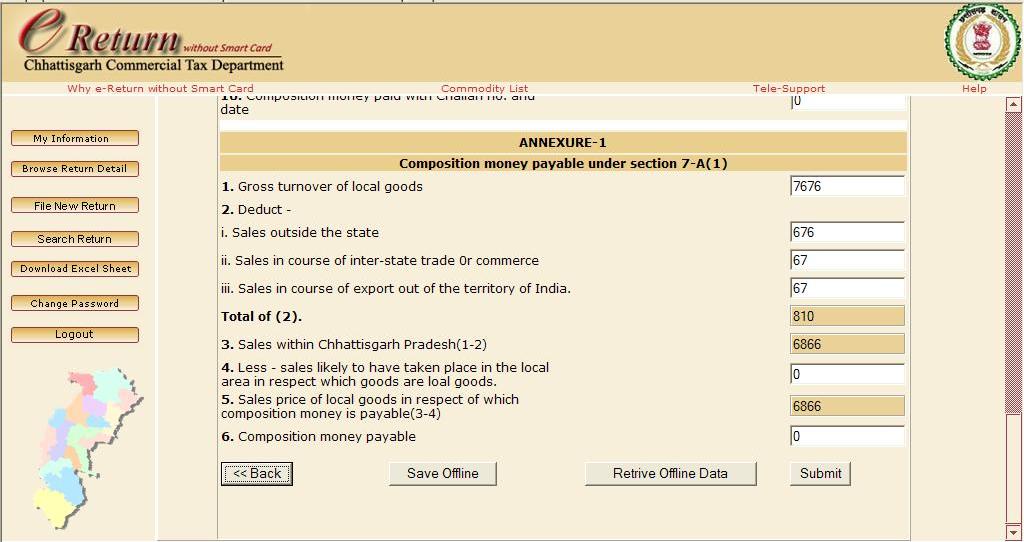
2:To save form offline, Scroll down the page. at the bottom of page, you will se the "Save Offline" Button. Click that Button.
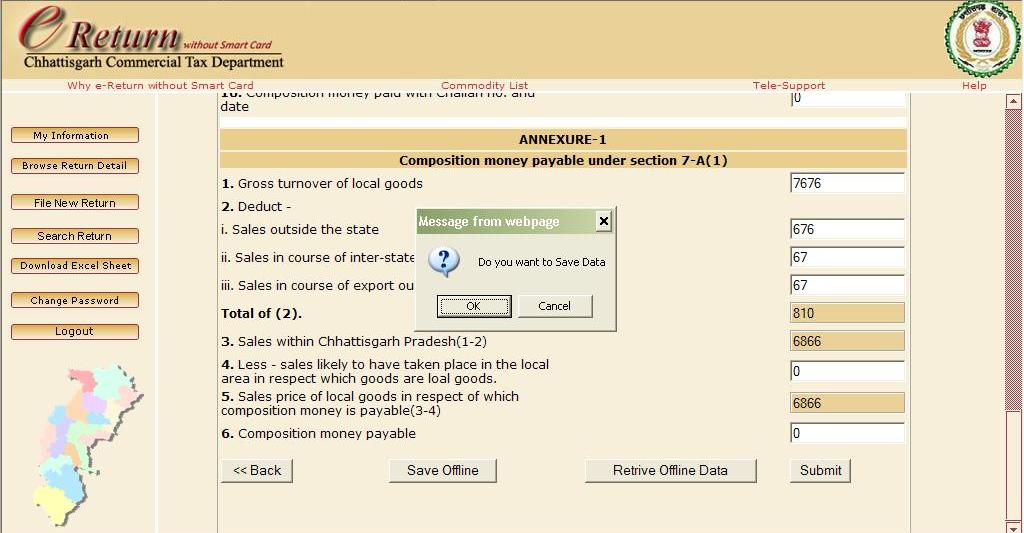
3: Click that Button. On click a confirmation message will appear. Click "OK" to Confirm.
4: Now on confirm your form Data will Save Offline. Now you can logout. When u Login again and back to that form again scroll down to Click "Retrive Offilne Data" Button.
5: On Click to "Retrive Offline Data" Button. A confirmation message will appear, Click "OK" to retrive offline save data for Form.
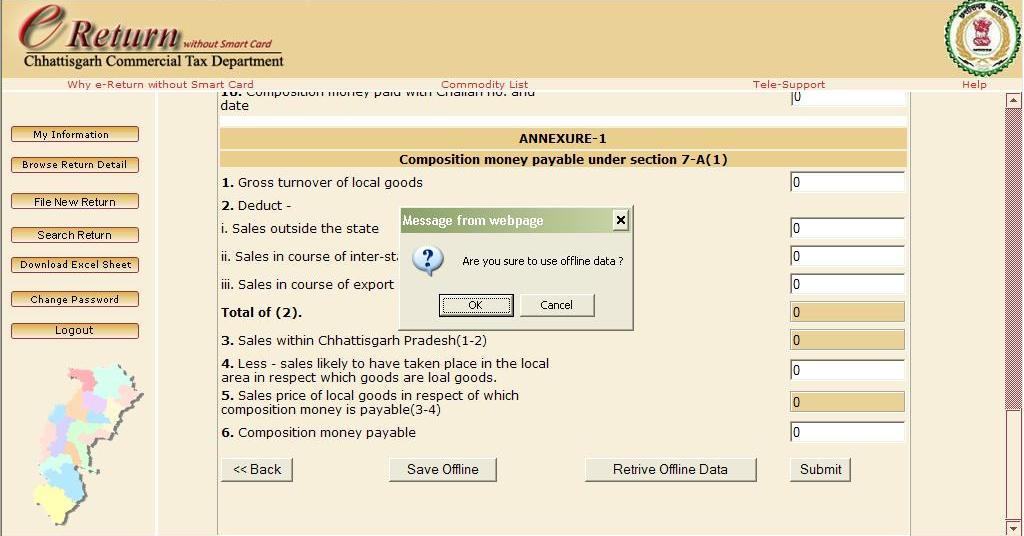
6: A message appear showwing that your offline data has been retrived.Please check that before Submitting the Form.
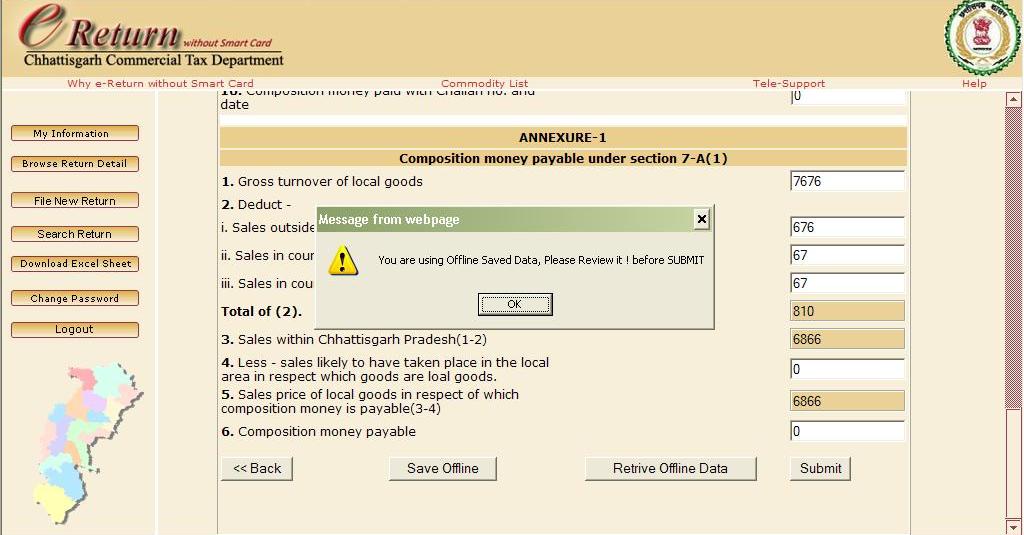
5: Fill the remaining form after retrival of offline saved data of Form.